TechRadar Verdict
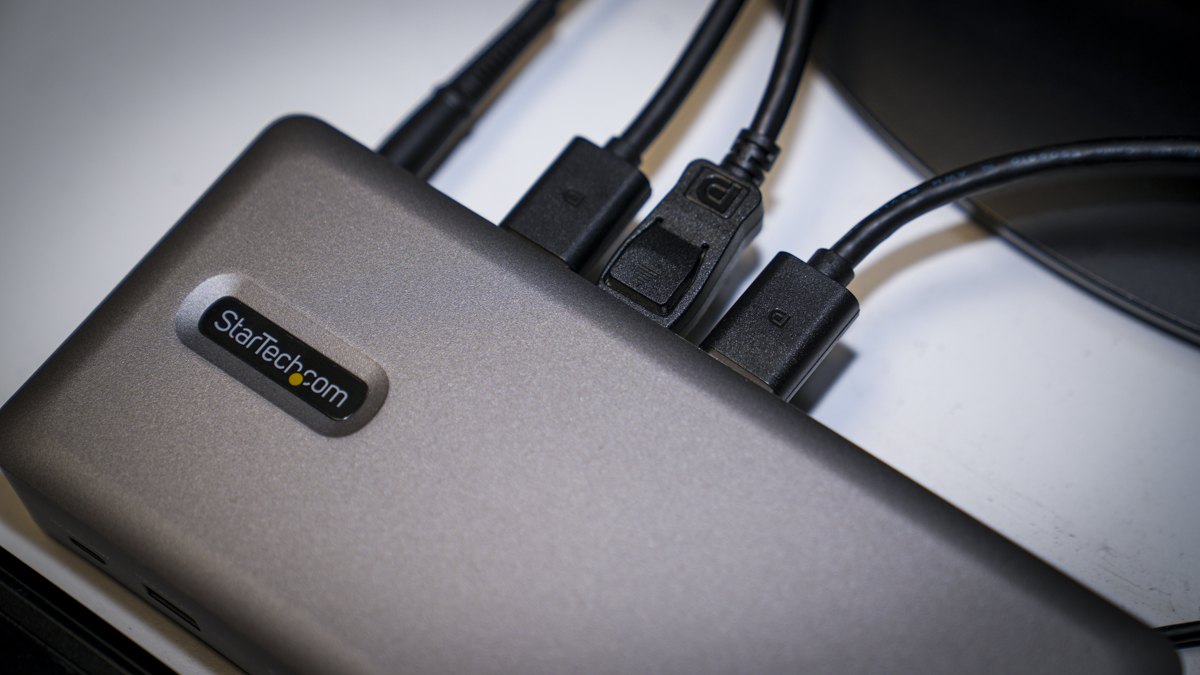
The StarTech 150 USB4DockTriple is a relatively dull grey plastic box, that see the aesthetics play second fiddle to function. VESA mounts on the back mean that it can be hidden away, enabling three monitors, keyboard, mouse network and accessories can be connected with a single cable. So while it may not look stylish when it comes to function it excels.
Check Amazon Singapore Pros- +
Easy triple 4K monitor setup
- +
Fast wired network connection for laptops
- +
A single cable connects the dock to the machine
- -
No Mac compatibility
- -
Overkill for casual users
- -
USB4 or Thunderbolt 4 required
- Best laptop docking station of 2025
- Best monitor for MacBook Pro in 2025
- Best monitor for a dual screen set-up in 2025
Why you can trust TechRadar We spend hours testing every product or service we review, so you can be sure you're buying the best. Find out more about how we test.
Jump to:- 30-second review
- Price and availability
- Specs
- Design
- Features
- Performance
- Final verdict
- Should you buy it?
StarTech 150US-USB4 DockTriple: 30-second review
The StarTech 150 USB4DockTriple is a triple monitor docking station designed for use with both Windows and ChromeOS computers. I'm seeing various letters after the 150 (in the US, for example, it's the 150n; in the UK, it's the 150ue), but from what I can see it's all the same device, and elsewhere, it tends to be simply dubbed the StarTech triple-monitor USB4 docking station.
There are many other features that really make this particular dock stand out, including a 2.5Gbps RJ-45 LAN port, which enables instant connection to a network. If you transport your laptop from home to the office, then all you need to do is plug in that single USB-C cable, and you're instantly plugged into three 4K monitors, the network, and an array of accessories all without having to find additional plugs and cables.
This dock is aimed at the professional market. It has a simple utilitarian but modern look and feel and, unlike more premium models, has a full plastic build. It's not by any means bad, but it just feels a little lighter-weight than we've come to expect from devices at this sort of price range. However, the internal workings are really what you're paying the money for here, as it does offer exceptional performance.
Alongside the dock itself, which is moderate in size and relatively lightweight, there's also the AC power adapter, which smaller seems to be several times heavier than the dock. However, the doc isn't designed to be transportable, and on the back, there's a VESA mount so that you can mount this out of the way, and out of sight, on your desk and utilise it as an always-in-position dock ready to go. However, whilst many manufacturers will include a VESA mount in the box alongside the product, here StarTech actually charges an additional fee for that VESA mount, and there are two options to choose from depending on what you need. In that respect, and because this is aimed at the professional market, it does essentially make sense.
One of the big points to highlight is that, because of hardware restrictions, especially for the triple monitor connection, this dock is only compatible with Windows and ChromeOS systems and has no Mac compatibility. The other point here is that this is a USB4 or Thunderbolt 4 dock, so if you really want to make the most of the data transfer speed and connectivity on offer, you will need a host machine (be that a PC or laptop) that also incorporates a USB4 port.
Setup and use are extremely easy, with it being plug and play. Once you connect three monitors using each of the HDMI 2.0 or DP 1.4 ports at the back, you can then configure them in your Windows or ChromeOS settings in whichever way you want.
Are you a pro? Subscribe to our newsletterContact me with news and offers from other Future brandsReceive email from us on behalf of our trusted partners or sponsorsBy submitting your information you agree to the Terms & Conditions and Privacy Policy and are aged 16 or over.As a simple, straightforward solution that offers support for up to three 4K monitors and decent data transfer speeds from accessories, the StarTech 150 USB4DockTriple is one of the best laptop docking stations I've used. However, if you're a home office user, then it is a little overkill for what most people will need.
StarTech 150 USB4DockTriple: Price and availability
- How much does it cost? From $265 / £253
- When is it out? Available now
- Where can you get it? Directly from StarTech.com or Amazon
The StarTech 150US-USB4DockTriple is widely available for $265 from StarTech in the US. In the UK, it's £254 direct from StarTech.
I'm also seeing it for $228 at Amazon.com and £181 at Amazon.co.uk.
- Value: 4 / 5
StarTech 150 USB4DockTriple: Specs
Rear Ports: 3 x DisplayPort, 3 x HDMI, 3 x USB-A (10Gbps), USB 3.2 Gen 2 Type-C, RJ-45 (2.5GbE), 100W PD USB-CFront Ports: USB-A (10Gbps), USB-C (10Gbps), 3.5mm AudioAudio: 3.5mm Combo JackSize: 210 x 95 x 34 mmOS Installed: Driverless on Windows 10/11, Windows 11 ARM, ChromeOSAccessories: USB4 host cable, 180W power supply
StarTech 150 USB4DockTriple: Design
StarTech make a huge variety of computer peripherals with a focus on the professional market, where they're known for innovation and above all quality and reliability. The dpck follows in this vein and offers a purely functional box that will appeal to the IT sector, with a functional rather than cutting-edge aesthetic. This is a bit of a shame, as the actual function of the dock is perfectly suited to creative professionals and would make an ideal companion to the latest ASUS Pro Art P16 laptop.
Unlike many premium docks that I've looked at in the last year, such as the CalDigit TS5 Plus+, with a full metal build and close attention to aesthetic product design, the 150US-USB4DockTriple is made out of good quality plastic, with clear labelling, plenty of ventilation on the side, good rubber feet, with a VESA mount in the middle on the base.
Size-wise, the dock itself measures 210mm by 95mm x 34mm and weighs just 443g, far lighter than most other docks. However, on top of that weight, you also have to consider the AC adapter and power cable, which which ramps up the weight by 635 g. But because this dock is designed primarily to be left in situ, that weight really doesn't matter. The lightweight nature of the Dock itself means that it can be mounted on that VESA mount behind a monitor with the right adapter or on its own dedicated stand, plugged in so that you just have that single USB cable available to plug into your laptop when you reach your workstation.
A feature that isn't commonly used, but it's always nice to see, are the security locks. They've included a K-slot and a Nano lock, so that if you do want to lock this down onto your desk, that's perfectly possible.
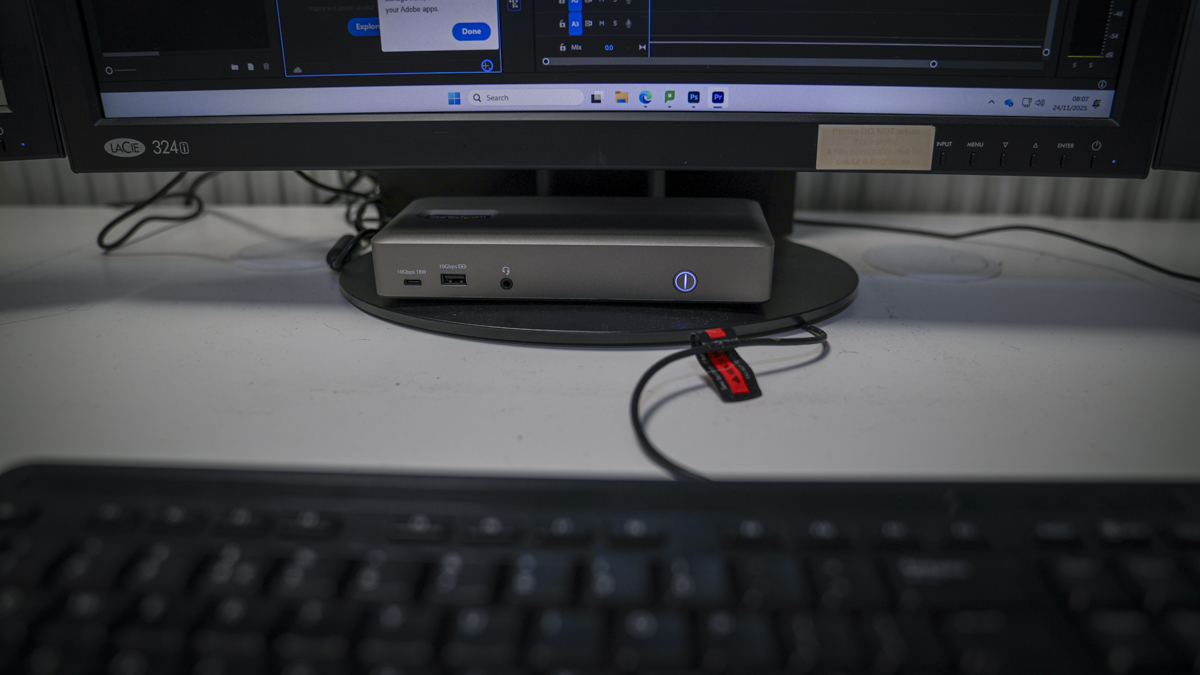
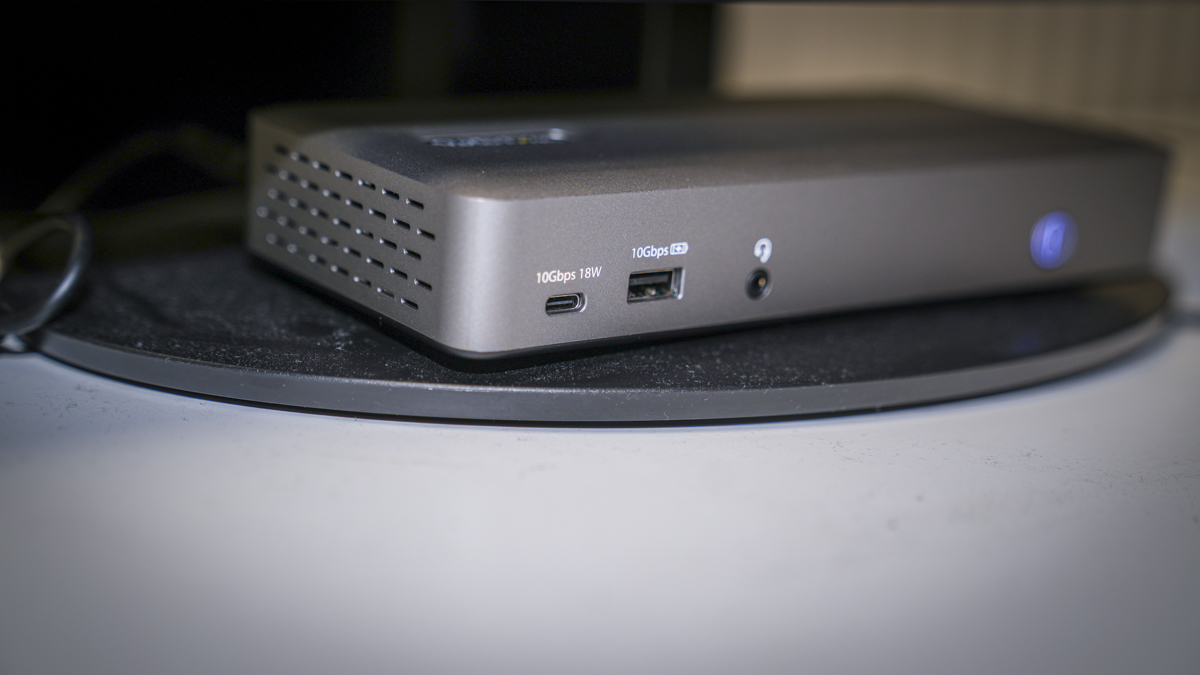
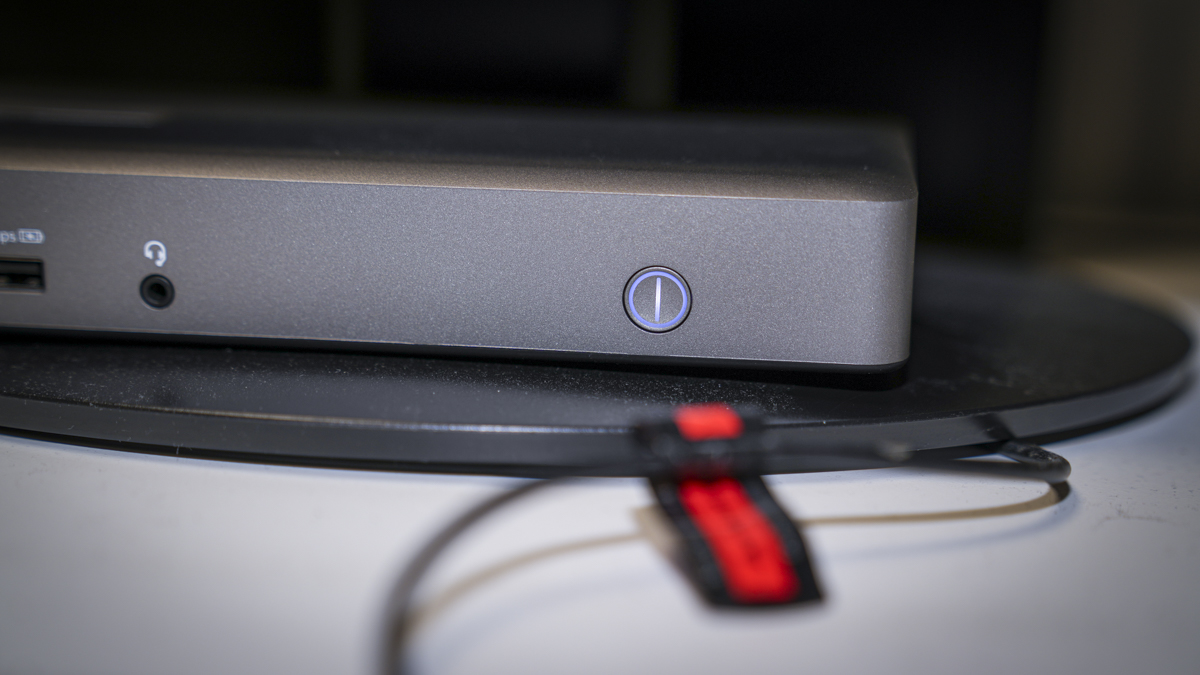
When it comes to ports, there's a good array with a 10Gbps with 18W power delivery, USB 3.2 Gen 2 Type-C, and a USB 3.2 Gen 2 Type-A and 3.5mm audio socket that supports mono input and stereo output on the front, along with the main power button.
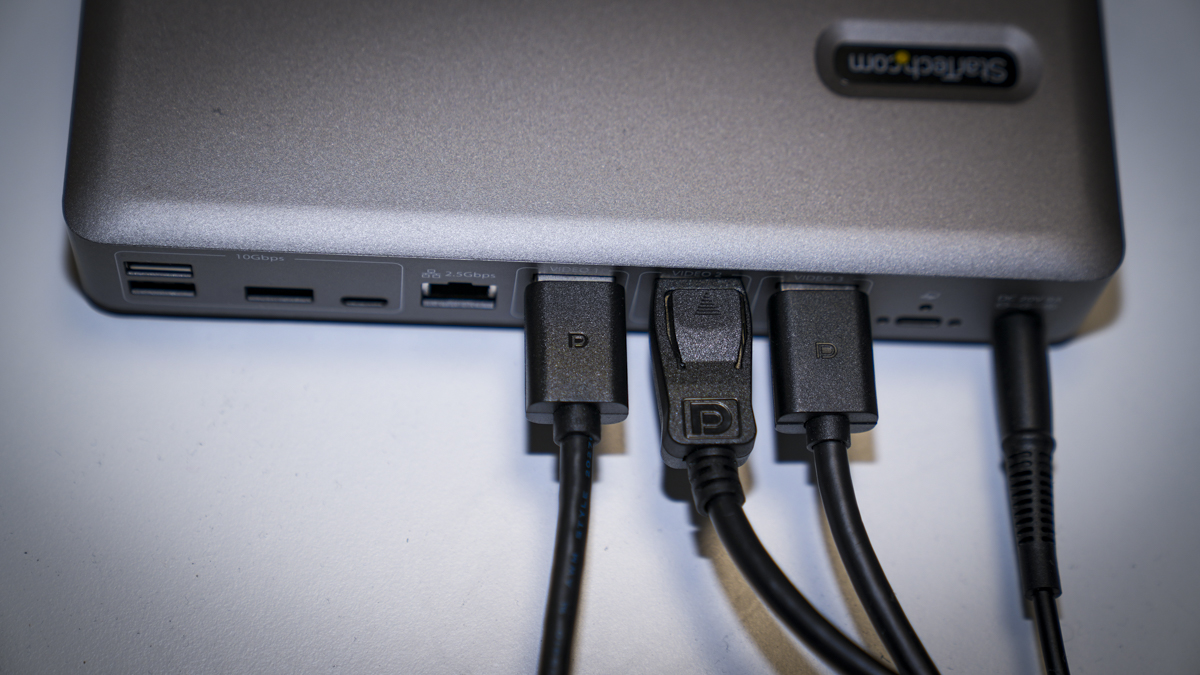
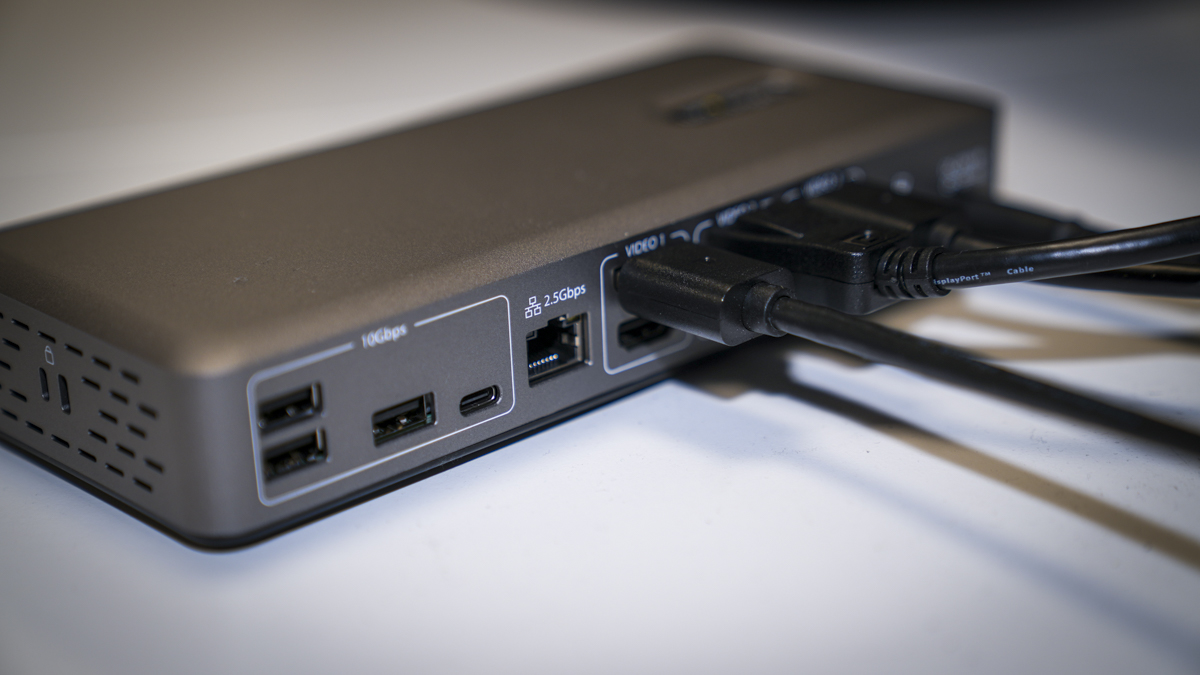
Flipping over to the back, we have three USB 3.2 Gen 2 Type-A and a USB 3.2 Gen 2 Type-C, 2.5Gbps RJ-45 LAN port. Then, in three groups, we have three HDMI 2.0 60Hz and three DP 1.4 144Hz ports to connect to the monitor, you can take one of each of those groups. Finally, alongside the AC input from the AC adapter, you also have another USB-C port with locking screws that you're able to connect directly into your laptop, and that offers 100W PD power as well as USB4 connectivity.
- Design: 3.5 / 5
StarTech 150 USB4DockTriple: Features
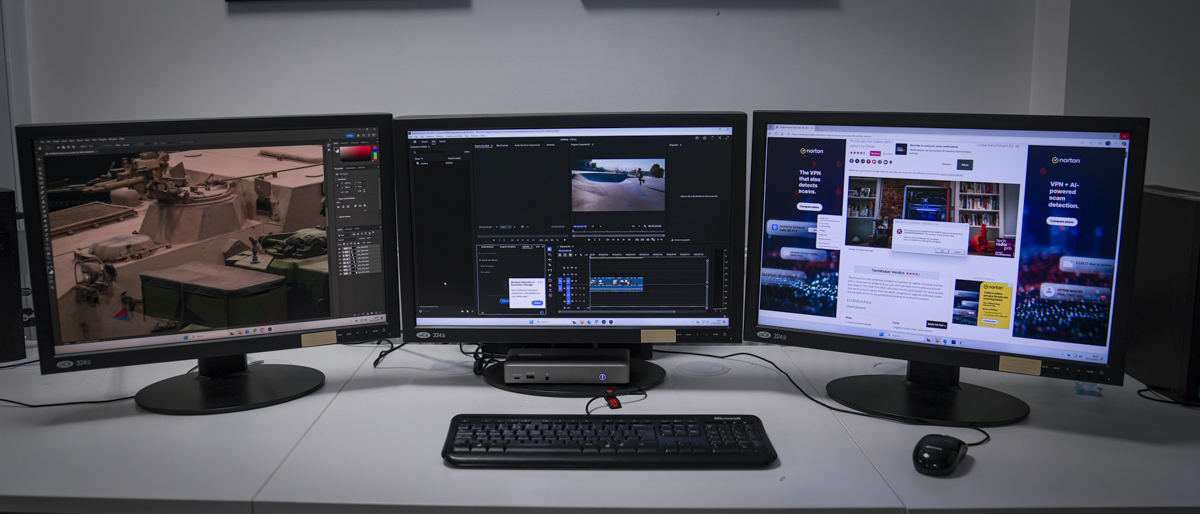
One of the main features of this USB4DockTriple hub is the fact that it enables you to quickly link out to three 4K 60Hz displays using just a single USB4 cable running from the back of the box through to your laptop, or even desktop, if you so wish.
While many desktops with high-performance GPUs will have the ability to connect directly out to a triple setup of monitors, there aren't any PC laptops that offer that volume of connection without completely taking up all the USB4 ports, if you're lucky enough to have that many and even if you do having that volume of cables plugged in is going to get a little messy. Using the dock just enables the ports on your laptop to remain free. But then, as the dock offers plenty of other connectivity options as well, with all those USB ports, it means that just one single cable will neatly connect your laptop to the dock, and then to that triple monitor array and all of your accessories.
That USB-C cable not only provides the display connection to those three monitors, but it will also enable 100W power delivery, charging your laptop whilst working. The power adapter included with the dock provides 180W of power, which is what enables this particular dock to connect to those three monitors.
On the back, it's good to see the 2.5Gbps RJ-45 Ethernet port, which is far faster than the standard gigabit you often find on these dock's useful if you're connecting to a NAS or office network, ensuring a fast connection rather than relying on Wi-Fi.
Aside from the one USB-C that is designated for connection to the laptop, you still have another six USB ports. If you want to connect a wired keyboard and mouse, control board, hard drives, or anything else you can think of, there are plenty of connection options. With all of them offering 10Gbps transfer rates, you'll get a high-speed data connection through almost any device.
Another nice feature, especially if this is going to be a static work environment dock, is that it has a 3.5mm audio jack on the front. This means that if you're editing video or working in the creative sector, then you can leave your headphones plugged in at all times. Or if you want your headset, that can go in here as well. You'll probably need to connect via USB for the data connection.
The dock is also primed for StarTech.com Connectivity Tools. This software suite enables businesses to increase the security of how their equipment is used by highlighting MAC address pass-through when devices are connected and the ability to track and log USB accessories plugged into the device. Other more advanced features, such as the Wi-Fi Auto Switch (Windows only), enable you to quickly switch between the Wi-Fi and Ethernet network connections once plugged into the dock.
Essentially, this suite is designed for your IT team and helps manage and keep your network safe and secure. This is far beyond what you'll find with your average docking station, including any of the other premium models that I've looked at this year.
- Features: 4 / 5
StarTech 150 USB4DockTriple: Performance
Starting out with the USB4DockTriple, initially, it just seems like a very basic, uninspiring dock that enables you to connect up to three 4K displays. The design is minimalistic and sleek enough, but compared with many more aesthetic and overly-designed hubs out there, it is just a little bit grey and boring. Across the front, you have your three ports, two USB and your audio, and other than the power button, it's pretty non-descript. But then, this is StarTech, and it is, of course, exceptionally functional.
The small box like Dock is actually quite nice and lightweight, so if you do want to attach it to the back of the monitor, that's easy enough using one of the VESA mounts. However, it's worth pointing out that they don't actually include any of these in the box, and there are two available to enable easy connection, but these are, of course, optional extras for an added fee starting at around £15 up to £23, depending on the type that you want.
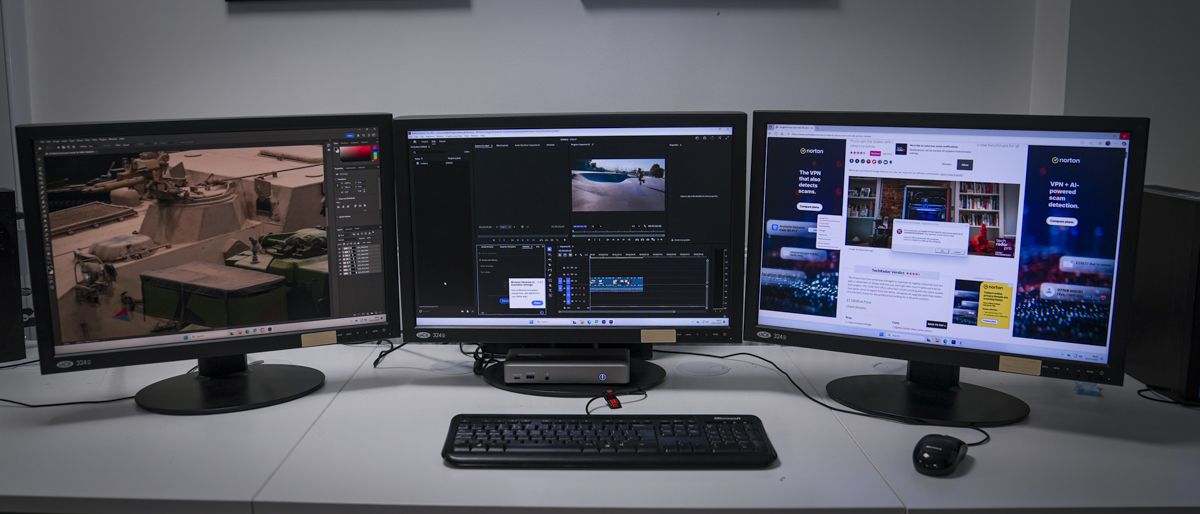
In this review, I simply placed the dock under the monitor, it was the easiest and quickest way, then plugged in the AC adapter, keyboard, and mouse, and everything was pretty much set and ready to go.
I've already mentioned that the adapter is about half the size of the hub, but weighs in at 635g, so it is actually heavier than the Dock. I personally would have preferred the adapter to have been built into the dock, and for a couple of reasons. The first is that it just keeps everything neater, without yet another adapter to sit in the desk caddy or on the floor. The second is that it would have added a bit of weight to the dock itself, so while that might not be ideal for mounting using the VESA mount on the desk, it just means that it sits a little more firmly.
Getting the dock set up takes a few minutes, plug in the AC power, position the dock underneath the monitor (in the case of this review), and plug in the 3 HDMI or DP cables into the back of the dock and into the monitors. Then that one USB-C cable can be screwed into the back of the dock using the small securing screws, and once plugged in, it's essentially set and ready to go. All you need to do is plug in a laptop, and three monitors should flicker into life ready to configure.
When it comes to setup and use, this is one of the simplest docks, no software, firmware or drivers required, just plug it in and go. As I'm starting to see from a few manufacturers any support for Apple machines seems to have been dropped or maybe simply ignored for the moment.
When it came to the test I used the dock with Premiere Pro and Adobe Photoshop, and to me, it seemed that it was perfectly suited to this use and therefor for the creative sector. After all, it's easy to install, and those three 4K monitors are running at 60Hz; it's ideal for a video or photography editing environment. Maybe if you're looking for a triple monitor display for gaming that 60Hz refresh rate will be limiting, but when you're adjusting colour in video, you just want fast, responsive, and trouble-free connections, and that's exactly what the StarTech 150US-USB4DockTriple provides.
I also like the fact that I can plug the machine directly into the network, and again, I didn't have to search around for a USB dongle for the ethernet cable. Once again, being able to get that network connection through the same USB4 port means things are just simpler, and the connection speed seemed exceptionally good.
While working with the laptop plugged into the Dock, there's also the added benefit that the laptop is charging at 100W through that PD power, which gave the machine a good boost even when editing video, again, cutting down on the amount of cables needed, and avoiding having to use either two adapters or climb underneath the desk to plug in the laptop charger.
When it came to the connection options, there's a really nice array of both USB-A and USB-C ports, and all delivering 10Gbps which meant that even when I had a couple of faster hard drives connected, I was getting decent transfer rates, although the speed was downgraded from the 20Gbps of the ADATA SD820 maximum. When it comes to compatibility with these 10Gbps USB ports, you know exactly what you're going to get.
So while I'm not overly taken with the design or the materials used to actually build the product, being primarily plastic, by the end of the test, it was very obvious that this was just an aesthetic thing and not anything that actually affects the performance.
When it comes to that performance, the StarTech 150US-USB4DockTriple is exceptionally good and provides simple, pure, and solid functionality. This makes it a great option in any office environment where three monitors are needed, or in any creative field where triple monitor setups for video editors, graphic designers, CAD users or developers are essential.
- Performance: 4 / 5
StarTech 150 USB4DockTriple: Final verdict
While many USB4 docking stations have been designed with creative design and beautiful aesthetics, the StarTech 150 USB4DockTriple keeps things basic. Whilst the build quality is good, there's no getting away from the fact that it all feels very plastic. However well-made that plastic is, it doesn't have the same premium feel that many other products at this price range offer.
However, when you set aside the aesthetics and the choice of material, what you're actually left with is one of the best triple monitor docks on the market. It simply provides a very solid and reliable 4K 60Hz output for your PC or Chrome laptop.
Your host machine, be that a laptop or desktop PC, must have USB4 or TB4 in order to take full advantage of what this dock has to offer. But it's the simplest plug-and-play: plug in your three monitors, plug in your accessories, and then connect your laptop. You may have to make a few tweaks within Windows display settings to get the arrangement of those monitors correct, but essentially, anyone with even a small amount of knowledge will be able to get this dock working. When you want to add other accessories, such as hard drives or control decks for video editing, they can simply be plugged in through those standard USB ports.
Where other docks get bogged down by offering far too much, here everything is well balanced. You have the USB4 connection offering 40Gbps transfer rate that supplies those three monitors with 4K video feed, but then you also have all those USB ports offering 10Gbps. That means you're almost always getting the maximum speed out of any device that you attach, that being 10Gbps for each port, rather than the likely higher speed of the device, most likely an SSD attached. This makes it an ideal solution for videographers, photographers, or any other profession that requires a fast and reliable data connection.
Then on top of all of this, there is StarTech's Connectivity Tools, which, if you run a small business or have someone managing your IT, could be of real interest. These essentially enable you to monitor anything connected to or through the dock. So, for example, if people in your office are connecting their own laptops or USB keys, which could potentially affect your business and security, you can have the software monitor and highlight what has been connected and when. It might seem a little Big Brother, but it's simple enough to install and operate even on a small scale.
So whilst I might not be overly taken with the aesthetics compared to some of the other docking stations on the market, when it comes to pure performance, once again StarTech has created a docking station that is designed for professionals, to complement their workflow, rather than the aesthetics of their office.
Should I buy the StarTech 150 USB4DockTriple?
Swipe to scroll horizontallyValue
Whilst the plastic build has a slightly cheaper feel, when it comes to performance, it is extremely high-end.
4
Design
StarTech have gone for pure functionality with an all-plastic build and grey exterior, making it non-descript rather than stylish.
3.5
Features
Solid features for a professional-level triple monitor dock with plenty of USB connections
4
Performance
Exceptional performance across the board, providing decent data connection for the monitors as well as connected devices.
4.5
Overall
Great performance from a simple-looking dock. It's just a little bit of a shame about the aesthetics.
4
Buy it if...
You would like three monitors
Triple displays, high-speed transfers, and power delivery make this ideal for complex workflows or content creation.
You manage IT setups.
The Connectivity tools will only appeal to IT professionals, but that added insight into the use of the Dock could be invaluable.
Don't buy it if...
You're a Mac user
macOS is not supported, no triple monitor functionality or full compatibility. Consider other docks made for macOS.
You only use one screen.
This Dock offers plenty., but if you're not using 4K monitors and don't need high end speed then this dock whilst good may be overkill.
StarTech 150 USB4DockTriple: Price Comparison
 No price informationCheck Amazon SingaporeWe check over 250 million products every day for the best pricespowered by
  Alastair Jennings
Alastair is a photographer, filmmaker and tech writer who has been working in the publishing industry since the late 1990s. For more than 25 years he has covered photography, video and technology across Future's photography, technology and gaming brands. He runs a photography and video production company and lectures in TV and film. He can usually be found testing mini PCs or prototyping and prop building with the aid of 3D printing.
You must confirm your public display name before commenting
Please logout and then login again, you will then be prompted to enter your display name.
Logout Back To Top Read more WavLink WL-UG75PD1-DH2 docking station review
 KTC H27P3 27in 5K monitor review
 Beelink Mate SE desktop docking station review
 Anker released the best-looking docking station I've ever seen - and it even comes with a control knob to satisfy my ADHD
 KTC MegPad A25Q5 monitor review
 Geekom A9 Max mini PC review
Latest in Computing
Geekom A9 Max mini PC review
Latest in Computing
 Forget Prime – Amazon starts 30-minute deliveries to show good things come to those with zero patience
 Experts "deeply concerned" by India's plan to force all smartphones to run pre-installed security app
 Microsoft's warning on 'security implications' of AI agents is causing panic
 Ex-engineer argues Microsoft must fix Windows 11 'until it doesn't suck'
 Yahoo and AOL mail were down for many – here's how the latest outage played out
 Windows 11 bug causes password sign-in icon to turn invisible somehow
Latest in Reviews
Windows 11 bug causes password sign-in icon to turn invisible somehow
Latest in Reviews
 Sony A7 V review: I'd choose it over the A7R V or A1 II any day
 Metroid Prime 4: Beyond review: seeing is believing
 StarTech 150 USB4DockTriple laptop docking station review
 Echo Show 8 (4th gen, 2025) review: Amazon’s smaller smart displays get a much-needed refit
 Echo Show 11 review: a new, bigger screen size but less for the privacy-conscious
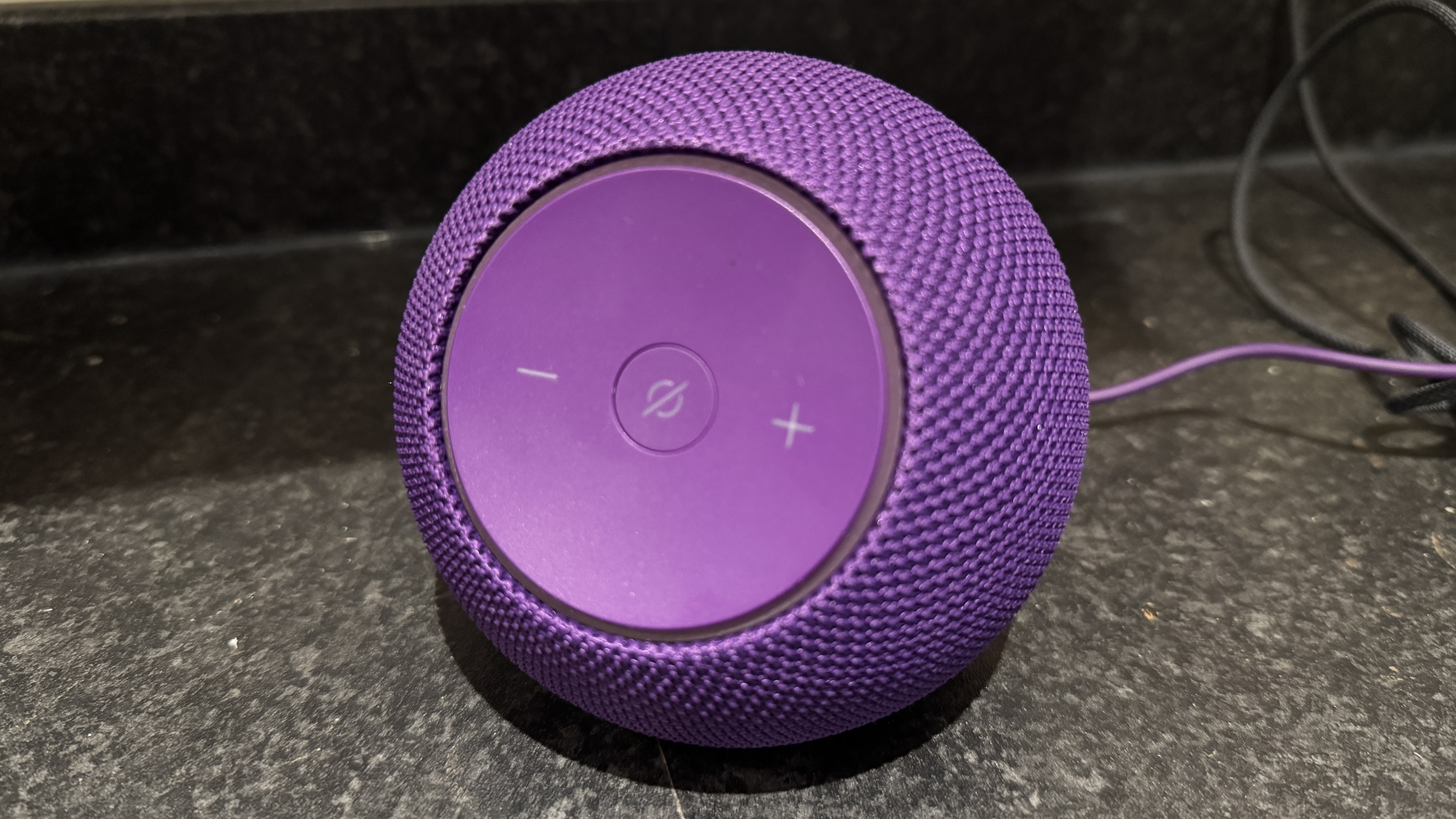 Echo Dot Max review: Amazon’s best mid-range speaker, but not by much
LATEST ARTICLES
Echo Dot Max review: Amazon’s best mid-range speaker, but not by much
LATEST ARTICLES- 1"The world is not slowing down" - AWS CEO says AI agents will be bigger than the Internet, so act now
- 2No, it's not just you – ChatGPT is having some issues, but OpenAI is working on it
- 3Microsoft and Google AI veteran to replace outgoing Apple exec John Giannandrea
- 4The next Android 16 update has landed – here are the 7 biggest features
- 5The Samsung Galaxy Z Trifold's folding mechanism looks odd, but it's the right call on a crucial design decision
.jpeg?width=1200&auto=webp&trim=263%2C0%2C102%2C0)